The "article" I read is: Raspberry Pi Internet Doorbell
I stumbled across the blog entry (hence why I typed "article" instead of article) while looking for the blog of the Raspi 2 on sale (I was needing the photo for something).
While I didn't watch the video, it's quite a nice idea, since sometimes the sound of the doorbell isn't heard sometimes.
What I'd like to do is something similar where a motion detector (or possibly a security cam) detects motion and reports it visually and/or audibly since the parcel delivery services here usually just leave the package without knocking or ringing the doorbell, which quite annoying.
I may get another Raspberry Pi to do that with, but we'll see what happens.
29 March 2015

22 March 2015
Melty 6
I bought standoffs screws a week before last Friday (13th) to mount the PCIe x1 to PCI x16 riser in Melty and I received them yesterday. I pulled Melty out and cleaned her up some before laying her down to drill though the motherboard tray.
The steel used made it hard to get a good dent to use as a centre punch, but what I was able to do was enough to drill accurately enough. I found that one of the holes (probably the bottom left) was actually slightly off, but it didn't seem to affect anything, as I was able to get all three screws in all the way (I was able to make a hole for the bottom right, since it's where the mounting slot was for the PSU cable cover).
I found that it rose the PCIe x16 board approximately 2mm higher than the motherboard, but it didn't to seem to affect the sound card's mounting by that much - if anything I can always replace it with 6mm standoffs instead of the 8mm that I ordered.
I was thinking about taking a picture or two, but decided it wasn't really too worth it.
The steel used made it hard to get a good dent to use as a centre punch, but what I was able to do was enough to drill accurately enough. I found that one of the holes (probably the bottom left) was actually slightly off, but it didn't seem to affect anything, as I was able to get all three screws in all the way (I was able to make a hole for the bottom right, since it's where the mounting slot was for the PSU cable cover).
I found that it rose the PCIe x16 board approximately 2mm higher than the motherboard, but it didn't to seem to affect the sound card's mounting by that much - if anything I can always replace it with 6mm standoffs instead of the 8mm that I ordered.
I was thinking about taking a picture or two, but decided it wasn't really too worth it.
09 March 2015
Wallpapers
I was looking for a wallpaper for the work computer to replace the stock Windows XP one with something nicer and work related.
While looking through the results (after filtering out images smaller than 1024x768), I found this wallpaper which would have been perfect for this blog:

I might use it in the future when I have the time and patience to redo the entire theme (mainly changing the colours, but that still takes a while), but for now, I'll stick with Hextasy.
I ended up finding the image below of a backlit PCB, which should be quite nice for work:

Now that I've "saved" the images, I can go to sleep.
While looking through the results (after filtering out images smaller than 1024x768), I found this wallpaper which would have been perfect for this blog:
I might use it in the future when I have the time and patience to redo the entire theme (mainly changing the colours, but that still takes a while), but for now, I'll stick with Hextasy.
I ended up finding the image below of a backlit PCB, which should be quite nice for work:
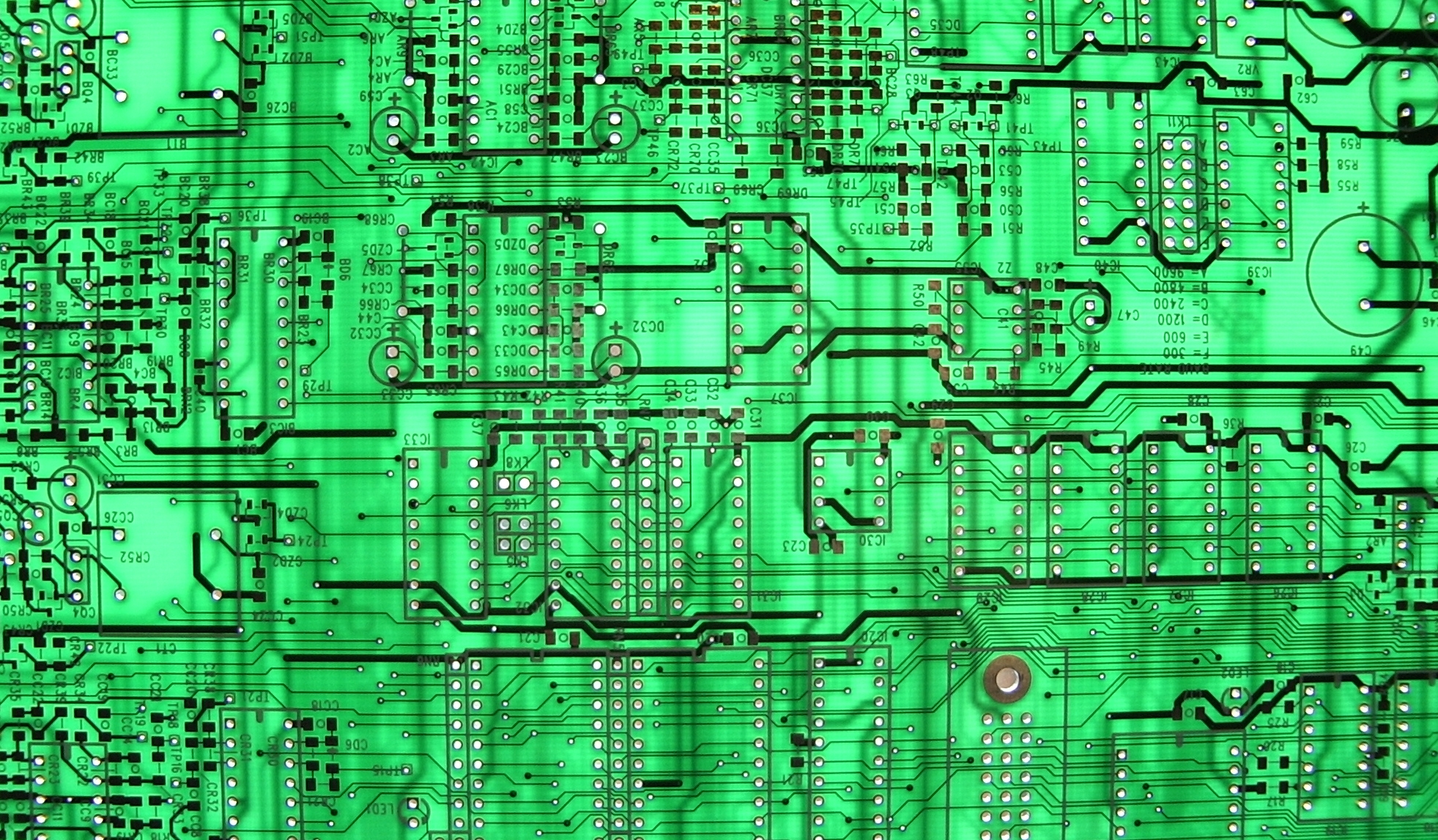
Credits to whoever owns this (I'm too tired to dig that info up).
Now that I've "saved" the images, I can go to sleep.
06 March 2015
Reset Switch
The Logitech Cordless Optical TrackMan trackball that I have is kinda finicky with Mei-chan - every so often, I have to unplug and re-plug the USB cable to get it to work in openSUSE.
I lived with it for quite a while, but when I started thinking about the case for the Pi2 and Banpi, I realized that I won't be able to do such a thing when it happens (I'm planning on using it with the Pi2) since the plug will be inside the case (and there's no way I'm going to remove/secure the lid every time it happens), so I needed some other way to do it. I quickly though of a normally-closed momentary switch that would be on a dongle that would cut the power when I depressed the switch, but I decided that the dongle would be a bit too much of a hassle to make. I then thought of mounting the switch on the receiver itself, but when I looked at it, it didn't seem like there'd be enough space for one.
The next day, I thought of a switch I pulled out of an old UPS, but when I tested it, depressing the button didn't do anything. I figured out that it was a fused switch, which acts like a breaker switch (in layman's terms), so that switch was out of the question. Later that evening, I remembered about the chassis intrusion switches I removed from the cluster nodes and found that it would work quite well despite how deep the button can be depressed (the depress depth to "activate" the switch is quite shallow). I used double-sided foam adhesive to mount the switch to the exterior of the receiver and left it alone for the night. The day after that, I performed the necessary modifications before testing it with Melty.
I have yet to use the button since the modification, but at least it'll be there and be a lot more convenient when it does happen - a quick tap is all it takes!


I lived with it for quite a while, but when I started thinking about the case for the Pi2 and Banpi, I realized that I won't be able to do such a thing when it happens (I'm planning on using it with the Pi2) since the plug will be inside the case (and there's no way I'm going to remove/secure the lid every time it happens), so I needed some other way to do it. I quickly though of a normally-closed momentary switch that would be on a dongle that would cut the power when I depressed the switch, but I decided that the dongle would be a bit too much of a hassle to make. I then thought of mounting the switch on the receiver itself, but when I looked at it, it didn't seem like there'd be enough space for one.
The next day, I thought of a switch I pulled out of an old UPS, but when I tested it, depressing the button didn't do anything. I figured out that it was a fused switch, which acts like a breaker switch (in layman's terms), so that switch was out of the question. Later that evening, I remembered about the chassis intrusion switches I removed from the cluster nodes and found that it would work quite well despite how deep the button can be depressed (the depress depth to "activate" the switch is quite shallow). I used double-sided foam adhesive to mount the switch to the exterior of the receiver and left it alone for the night. The day after that, I performed the necessary modifications before testing it with Melty.
I have yet to use the button since the modification, but at least it'll be there and be a lot more convenient when it does happen - a quick tap is all it takes!
The receiver stands on the table like it's oriented here, so the switch is actually on the "side" and not the "bottom"; the wire enters close to the edge of the PCB due to its short length.
Water Cooling / Other Stuff
The article I read is: It's Been A Fun Ride, But I'm Done Water-Cooling My PC (I'm hoping this loads correctly for you, as it didn't load correctly for me on Melty).
I've always thought about doing liquid cooling for a computer, but I've never gotten around to doing it, though I've looked at parts here and here a couple times or so.
One of the things that has kept me away is the fact that I can't find a water block for a Radeon HD 6770 - the thing I would want most to be liquid-cooled. With where I'm working now, I technically could make a custom block, but at some point, I'll probably upgrading the 6770 in Melty to something better, so it'd be a lost cause to make that custom block.
Even though I do want to tinker with liquid-cooling, I don't think I'll ever actually do it for any of my own machines, mainly because of the fact that air-cooling works well enough.
A couple weeks ago, I started working as an electronic assembler for a small company that puts together wheelchairs; besides the obvious PCB work, I also make all the cables.
It's decently interesting and I've learned a bit from it - from SMT to using an oscilloscope. It's been sort of a crash-course though, since the one who was training me was really needed in welding (it also didn't help that some of the parts are really low).
Anyway, I probably won't be posting too much for a couple months or so, since I have a severe lack of money; you'll probably mainly be seeing posts about articles, and maybe some projects/tinkering using parts that I already have.
I've been pondering around with ideas for a case that contains the Pi2, Banpi, and HDD, and so far I've figured out to put it all into a single, pre-made box that I found. Sure it's relatively weather-resistant (weather-proof?), but it was the only box I was able to find that was roomy and rectangular. As far as internal layout, I have yet to figure it out since I have a very vague idea of cable paths for one layout (I'm trying to put the HDD in a place with minimal EMI). In the matter of parts, I'm quite covered, so it's just a matter of getting the parts in that stituation.
Once I'm able to, I'll be setting up the Pi2 and Banpi before I do the first half of wired networking for the second floor. Luckily, there happened to be fishing tape at work, so I can borrow that when I run the Cat6.
I thought there was more I was going to talk about, but I can't remember it - if there was.
I've always thought about doing liquid cooling for a computer, but I've never gotten around to doing it, though I've looked at parts here and here a couple times or so.
One of the things that has kept me away is the fact that I can't find a water block for a Radeon HD 6770 - the thing I would want most to be liquid-cooled. With where I'm working now, I technically could make a custom block, but at some point, I'll probably upgrading the 6770 in Melty to something better, so it'd be a lost cause to make that custom block.
Even though I do want to tinker with liquid-cooling, I don't think I'll ever actually do it for any of my own machines, mainly because of the fact that air-cooling works well enough.
A couple weeks ago, I started working as an electronic assembler for a small company that puts together wheelchairs; besides the obvious PCB work, I also make all the cables.
It's decently interesting and I've learned a bit from it - from SMT to using an oscilloscope. It's been sort of a crash-course though, since the one who was training me was really needed in welding (it also didn't help that some of the parts are really low).
Anyway, I probably won't be posting too much for a couple months or so, since I have a severe lack of money; you'll probably mainly be seeing posts about articles, and maybe some projects/tinkering using parts that I already have.
I've been pondering around with ideas for a case that contains the Pi2, Banpi, and HDD, and so far I've figured out to put it all into a single, pre-made box that I found. Sure it's relatively weather-resistant (weather-proof?), but it was the only box I was able to find that was roomy and rectangular. As far as internal layout, I have yet to figure it out since I have a very vague idea of cable paths for one layout (I'm trying to put the HDD in a place with minimal EMI). In the matter of parts, I'm quite covered, so it's just a matter of getting the parts in that stituation.
Once I'm able to, I'll be setting up the Pi2 and Banpi before I do the first half of wired networking for the second floor. Luckily, there happened to be fishing tape at work, so I can borrow that when I run the Cat6.
I thought there was more I was going to talk about, but I can't remember it - if there was.
13 February 2015
Network Attached Storage 4, Testpi
I think it was this past Friday at night when I found the NAS lights on and flashing when going to look at the Raspi for whatever reason, and when I looked at the lights from the front, the light for the first disk was flashing orange. I went into the web interface and tried to repair, but was unable to, so I just removed the disk.
Saturday, I plugged it into the Dell to get the SMART info and try to perform the short test, and it made Parted Magic hang during part of the probe phase. I unplugged the drive after powering down the Dell, and was then able to boot into PMagic just fine - plugging the drive back in after reaching the desktop.
It took a while to get to the SMART info window because of the drive, and the short test hung at 90%, so I cancelled the test. I don't remember what happened, but at some point the clicking noise went away and the drive acted normally and the short test reported nothing. Regardless, it seems like the drive is just too unstable to use, since it's questionable when it'll have problems again. I might try it in an environment where stability isn't an issue, but that's something that doesn't come often.
This past Monday, I received my best friend's Raspberry Pi, since he no longer does anything with it (nor did he really want it), and after he sold a couple things, he got a new monitor, which allowed me to use the monitor that was replaced to start with some of the testing I needed to do.
After setting it all up, I booted the Testpi to see what he last had on that SD card, which was Raspbian from back then, and then shut it down to switch to the SD card I had brought with me which had the latest version of Raspbian. It took me a bit to set up routing the internet from my laptop's ethernet to the wirelsss (I hadn't done it in a while and it was simpler than I had thought), but afterwards the Testpi was able to access the net just fine. I was able to confirm a few things, but it ate up a lot of time to download and install stuff - maybe because of how I had to give it internet?
Since he had to work the next day, I had to leave earlier than usual, and when I got home, I tested out openSUSE, and after it took a while to install updates an packages (I had first forgotten to expand the second partition), I couldn't get XFCE to work. I tested Pidora next, and since it didn't have LibreOffice in its repository, I decided that it wasn't a viable candidate. While I could probably find a package source or compile from source code, I want to spend the least amount of time getting everything set up, since I'm going to have two machines to set up (Raspberry Pi 2 and Banana Pi).
The next morning, I was tinkering around more with Raspbian, trying to uninstall LXDE, but eventually I ended up creating a segmentation fault with Rhythmbox, so I called it quits for then. I grabbed Arch Linux and Bodhi Linux, but wrote Bodhi to one of the SD cards, writing Raspbian again to the other, and copying the Arch tar.gz to a flash drive before heading back to my room for the evening.
Bodhi Linux was a short test, since I accidentally deleted the shelf (a.k.a. panel for those unfamiliar) instead of the workspace switcher; I had created another shelf, and put everything on it to test it, since I didn't know what anything was, before finding Synaptic to look at the available packages. Everything I wanted to use was there, which I expected from being something based off of Ubuntu, and I shut down soon after that to swap the SD cards.
I reinstalled and reconfigured Raspbian as a mock set up to how things would be with the Raspberry Pi 2, and once I confirmed everything was fine, I shut it down and went to bed after writing Arch to one of the SD cards, since the Testpi was having networking issues. Well, specifically, the networking issues have been going on since I set the Testpi in my room after getting home from my best friend's place.
In the morning, I booted Arch and went through the installation instructions I found, and eventually got into XFCE... partially - I had the cursor and a light-gray background, but no panels, windows, or right-click menu. I rewrote Bodhi and Raspbian to the SD cards and copied the Raspbian image to a flash drive before leaving it all in my room, since I had an orientation-type thing to go to.
After returning, I started with Bodhi to carefully test and assess it, which I found that the Enlightenment window manager seemed fast and fluid, but that doesn't really mean too much in terms of anything else. With Raspbian, I installed Rhythmbox and tested it with LXDE to make sure it was just something weird that caused the prior segmentation fault, and it was. I had thought I installed all the packages with
This morning, I installed Raspbian to the SD card that had Bodhi Linux on it and did a full installation with all the packages that both the Pi 2 and the Banpi will get, using the "stable" repository instead of "wheezy" (the other card was "wheezy"), and testing them all out and such as well. I then decided to grab the XFCE theme I use and realized I didn't have Filezilla, but after installing it, I came up with a lot of directory-related errors, and was met with more when connecting to Mei-chan. I found that I couldn't copy the archive (not enough space error), and when I went to check, I had no space left whatsoever. I decided to switch over to the other SD card (which is twice the size) and remembered about
I was done after that. Raspbian is going to pretty much be the distro to use, since I can't find anything better to use. I'll have a bit of preliminary testing for the Pi 2 and the Banpi when I get them both, just so I don't hit a brick wall with a blind install.
I don't remember when, but at one point, I tried to play a 1080p video which ended badly - luckily I was able to ssh into the Testpi, find the VLC process ID, and kill it.
It's been a bit of a hell with testing the past couple days, since the network didn't want to work sometimes, causing me to re-run package installation commands a lot to get packages that were partially downloaded or weren't downloaded at all. I think part of the problem was just EMI from a couple power cables, and even though I kinda cleaned up the cables, I don't have any proof that was the cause.
Bodhi Linux is an okay distribution, but some things are just awkward about it (namely the terminal program).
Considering that I was left with about 2GB left of an 8GB card, I decided that I should get 16GB cards for both the Pi 2 and the Banpi, and though the latter probably doesn't quite need that much, I'd rather have the extra space.
I'm quite excited for the Pi 2 and the Banpi (mainly the latter), though it probably won't be until next month when I can buy them.
Saturday, I plugged it into the Dell to get the SMART info and try to perform the short test, and it made Parted Magic hang during part of the probe phase. I unplugged the drive after powering down the Dell, and was then able to boot into PMagic just fine - plugging the drive back in after reaching the desktop.
It took a while to get to the SMART info window because of the drive, and the short test hung at 90%, so I cancelled the test. I don't remember what happened, but at some point the clicking noise went away and the drive acted normally and the short test reported nothing. Regardless, it seems like the drive is just too unstable to use, since it's questionable when it'll have problems again. I might try it in an environment where stability isn't an issue, but that's something that doesn't come often.
This past Monday, I received my best friend's Raspberry Pi, since he no longer does anything with it (nor did he really want it), and after he sold a couple things, he got a new monitor, which allowed me to use the monitor that was replaced to start with some of the testing I needed to do.
After setting it all up, I booted the Testpi to see what he last had on that SD card, which was Raspbian from back then, and then shut it down to switch to the SD card I had brought with me which had the latest version of Raspbian. It took me a bit to set up routing the internet from my laptop's ethernet to the wirelsss (I hadn't done it in a while and it was simpler than I had thought), but afterwards the Testpi was able to access the net just fine. I was able to confirm a few things, but it ate up a lot of time to download and install stuff - maybe because of how I had to give it internet?
Since he had to work the next day, I had to leave earlier than usual, and when I got home, I tested out openSUSE, and after it took a while to install updates an packages (I had first forgotten to expand the second partition), I couldn't get XFCE to work. I tested Pidora next, and since it didn't have LibreOffice in its repository, I decided that it wasn't a viable candidate. While I could probably find a package source or compile from source code, I want to spend the least amount of time getting everything set up, since I'm going to have two machines to set up (Raspberry Pi 2 and Banana Pi).
The next morning, I was tinkering around more with Raspbian, trying to uninstall LXDE, but eventually I ended up creating a segmentation fault with Rhythmbox, so I called it quits for then. I grabbed Arch Linux and Bodhi Linux, but wrote Bodhi to one of the SD cards, writing Raspbian again to the other, and copying the Arch tar.gz to a flash drive before heading back to my room for the evening.
Bodhi Linux was a short test, since I accidentally deleted the shelf (a.k.a. panel for those unfamiliar) instead of the workspace switcher; I had created another shelf, and put everything on it to test it, since I didn't know what anything was, before finding Synaptic to look at the available packages. Everything I wanted to use was there, which I expected from being something based off of Ubuntu, and I shut down soon after that to swap the SD cards.
I reinstalled and reconfigured Raspbian as a mock set up to how things would be with the Raspberry Pi 2, and once I confirmed everything was fine, I shut it down and went to bed after writing Arch to one of the SD cards, since the Testpi was having networking issues. Well, specifically, the networking issues have been going on since I set the Testpi in my room after getting home from my best friend's place.
In the morning, I booted Arch and went through the installation instructions I found, and eventually got into XFCE... partially - I had the cursor and a light-gray background, but no panels, windows, or right-click menu. I rewrote Bodhi and Raspbian to the SD cards and copied the Raspbian image to a flash drive before leaving it all in my room, since I had an orientation-type thing to go to.
After returning, I started with Bodhi to carefully test and assess it, which I found that the Enlightenment window manager seemed fast and fluid, but that doesn't really mean too much in terms of anything else. With Raspbian, I installed Rhythmbox and tested it with LXDE to make sure it was just something weird that caused the prior segmentation fault, and it was. I had thought I installed all the packages with
apt-get, but it didn't seem that way, and so I had to install them again with Synaptic - going to bed shortly afterwards. (I think I had some sort of problem with trying to use Openbox to fix the fact that I didn't have XFCE, but couldn't get back to LXDE easily, and I think that's what I fixed before going to sleep)This morning, I installed Raspbian to the SD card that had Bodhi Linux on it and did a full installation with all the packages that both the Pi 2 and the Banpi will get, using the "stable" repository instead of "wheezy" (the other card was "wheezy"), and testing them all out and such as well. I then decided to grab the XFCE theme I use and realized I didn't have Filezilla, but after installing it, I came up with a lot of directory-related errors, and was met with more when connecting to Mei-chan. I found that I couldn't copy the archive (not enough space error), and when I went to check, I had no space left whatsoever. I decided to switch over to the other SD card (which is twice the size) and remembered about
vsftpd - which I installed, configured, and tested.I was done after that. Raspbian is going to pretty much be the distro to use, since I can't find anything better to use. I'll have a bit of preliminary testing for the Pi 2 and the Banpi when I get them both, just so I don't hit a brick wall with a blind install.
I don't remember when, but at one point, I tried to play a 1080p video which ended badly - luckily I was able to ssh into the Testpi, find the VLC process ID, and kill it.
It's been a bit of a hell with testing the past couple days, since the network didn't want to work sometimes, causing me to re-run package installation commands a lot to get packages that were partially downloaded or weren't downloaded at all. I think part of the problem was just EMI from a couple power cables, and even though I kinda cleaned up the cables, I don't have any proof that was the cause.
Bodhi Linux is an okay distribution, but some things are just awkward about it (namely the terminal program).
Considering that I was left with about 2GB left of an 8GB card, I decided that I should get 16GB cards for both the Pi 2 and the Banpi, and though the latter probably doesn't quite need that much, I'd rather have the extra space.
I'm quite excited for the Pi 2 and the Banpi (mainly the latter), though it probably won't be until next month when I can buy them.
12 February 2015
End of CrunchBang
The article I read is: A eulogy to CrunchBang, the Linux distro that time passed by (which appeared as "The Death of a Linux Distro" on my phone).
While I've seen CrunchBang, I never had a chance to test it out, since it wasn't something that interested me much.
Though I've only kind of seen 5 years worth of Linux in the making (the majority of it being openSUSE), it still has come a long way.
I haven't really done too much with Linux besides using and learning (more or less), so I won't call myself a hobbyist, but I have had the thought of respinning openSUSE, Gparted Live, and perhaps another distribution that I can't recall right now - though I've never really followed through with any of it. One of the reasons being that I just haven't really had that much of a need to (Gparted Live's a bit different though), since I can just install everything I need to from the base image without much problem.
It's quite true that most distributions are a lot more flexible now - allowing a variety of window managers to be installed and used (though having to put up with something before being able to use it.
To a point, it reminds me of Firefox, where after one point in time, Mozilla pulled the plug on supporting the Power PC architecture. Yes Mac OS X 10.4.x was outdated at that time, and the statistics that they were seeing was low enough for them to decide to remove support. A group decided to make a port of Firefox for PPC and 10.4.x/10.5.x called TenFourFox which allowed anyone with PPC an Mac OS X 10.4.x/10.5.x to still use an updated version of Firefox.
One of the problems was that the version was quite behind, but eventually the group closed the gap when Firefox 30 something came out, which was quite nice. But after discovering that Debian works quite well for PPC, there isn't a whole lot of need to use Mac OS X (only for the legacy emulation). In short, I mean that the TenFourFox group will probably have to pull the plug at some point, once Mac OS X 10.4.x/10.5.x is no longer a good idea to use.
Yes there are people out there using PPC machines, but at some point, they may (or may not) switch to Linux, since it's a lot more up to date than Mac OS X 10.4.x/10.5.x will ever be. Another thing is that there's a lot of removed support for Mac/PPC, so at some point the user will either have to continue using the last supported version of a software, or decide to make a better move.
Sure any group/distro has the ability to remove their support for the PPC architecture, but it's honestly hard to say, since it's really the only way to keep any PPC machine running until the processor gives out.
Anyway, cheers to the good run for CrunchBang, though I never gotten to know it, and to Philip Newborough for taking the initiative of filling the needed lightweight Linux gap.
While I've seen CrunchBang, I never had a chance to test it out, since it wasn't something that interested me much.
Though I've only kind of seen 5 years worth of Linux in the making (the majority of it being openSUSE), it still has come a long way.
I haven't really done too much with Linux besides using and learning (more or less), so I won't call myself a hobbyist, but I have had the thought of respinning openSUSE, Gparted Live, and perhaps another distribution that I can't recall right now - though I've never really followed through with any of it. One of the reasons being that I just haven't really had that much of a need to (Gparted Live's a bit different though), since I can just install everything I need to from the base image without much problem.
It's quite true that most distributions are a lot more flexible now - allowing a variety of window managers to be installed and used (though having to put up with something before being able to use it.
To a point, it reminds me of Firefox, where after one point in time, Mozilla pulled the plug on supporting the Power PC architecture. Yes Mac OS X 10.4.x was outdated at that time, and the statistics that they were seeing was low enough for them to decide to remove support. A group decided to make a port of Firefox for PPC and 10.4.x/10.5.x called TenFourFox which allowed anyone with PPC an Mac OS X 10.4.x/10.5.x to still use an updated version of Firefox.
One of the problems was that the version was quite behind, but eventually the group closed the gap when Firefox 30 something came out, which was quite nice. But after discovering that Debian works quite well for PPC, there isn't a whole lot of need to use Mac OS X (only for the legacy emulation). In short, I mean that the TenFourFox group will probably have to pull the plug at some point, once Mac OS X 10.4.x/10.5.x is no longer a good idea to use.
Yes there are people out there using PPC machines, but at some point, they may (or may not) switch to Linux, since it's a lot more up to date than Mac OS X 10.4.x/10.5.x will ever be. Another thing is that there's a lot of removed support for Mac/PPC, so at some point the user will either have to continue using the last supported version of a software, or decide to make a better move.
Sure any group/distro has the ability to remove their support for the PPC architecture, but it's honestly hard to say, since it's really the only way to keep any PPC machine running until the processor gives out.
Anyway, cheers to the good run for CrunchBang, though I never gotten to know it, and to Philip Newborough for taking the initiative of filling the needed lightweight Linux gap.
Subscribe to:
Posts (Atom)